
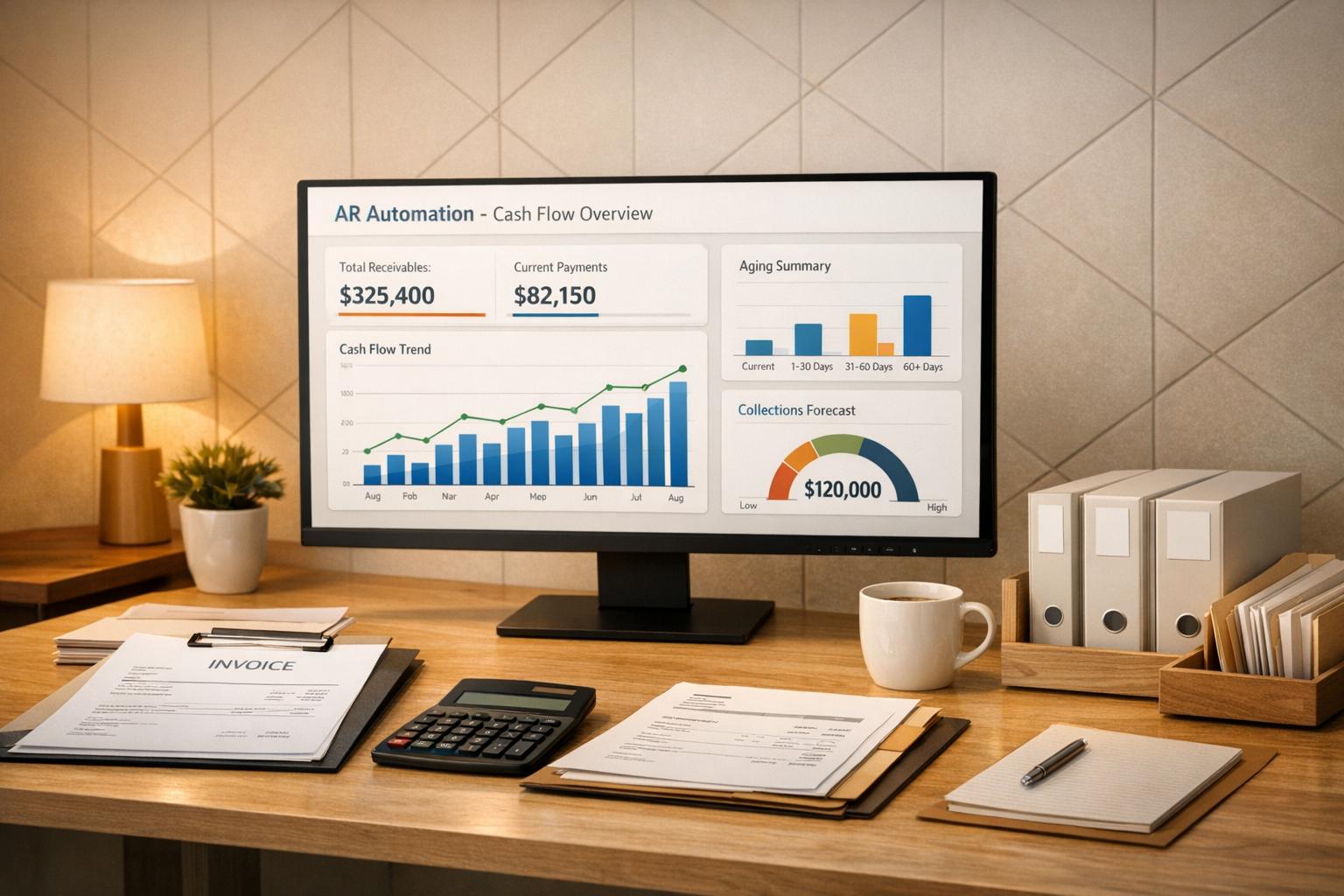
AR automation helps businesses get paid faster, reduce errors, and improve financial visibility. By automating repetitive tasks like invoicing, payment collection, and reconciliation, companies can shorten payment cycles, lower Days Sales Outstanding (DSO), and minimize manual workloads. Here’s why it matters:
- Faster invoicing: Automated systems send invoices immediately, cutting delays.
- Improved collections: Scheduled reminders and payment links reduce late payments by up to 30%.
- Better cash flow forecasting: Real-time dashboards provide accurate financial insights.
- Error reduction: Automation minimizes billing mistakes and disputes.
- Increased efficiency: AR teams can focus on higher-value tasks instead of manual processes.
For businesses, this means more predictable cash flow, fewer bottlenecks, and the ability to invest in growth opportunities. Transitioning to AR automation starts with reviewing current processes, choosing the right tools, and training your team for a smooth rollout.
Can I Automate Accounts Receivable To Boost Cash Flow?
How AR Automation Improves Cash Flow
Automation speeds up cash flow by simplifying accounts receivable (AR) processes. Here’s how quicker invoicing and streamlined efforts make a big difference.
Faster Invoice Processing and Delivery
Manual invoicing often leads to delays, with tedious tasks that stretch payment timelines. Automation solves this by instantly creating accurate digital invoices and delivering them electronically – via email or customer portals – bypassing the delays of traditional mail delivery.
The time savings are striking. Traditional invoicing usually involves multiple manual steps, like approvals and data entry, which can drag on for days. Automation completes these tasks in seconds, ensuring customers receive their invoices faster and have more time to process payments within your terms.
Automated Payment Reminders and Collections
Following up on late payments can be a major time drain for AR teams. Automation simplifies this by scheduling reminders at key intervals, such as one week before, three days after, and ten days past the due date. These reminders often include direct payment links, making it easier for customers to pay immediately. Businesses using automated collections have reported up to a 30% drop in overdue invoices.
Lower Days Sales Outstanding (DSO)
DSO tracks how long cash is tied up in unpaid invoices, and automation can significantly reduce this time. Many CFOs have observed a 15–20 day decrease in DSO after implementing automated AR processes. This improvement frees up working capital for essentials like payroll, inventory, or growth opportunities.
Better Cash Flow Forecasting and Visibility
Outdated spreadsheets are no match for real-time dashboards. Automation provides live data on AR aging, payment patterns, and DSO metrics, allowing finance teams to see outstanding invoices, early payments, and potential bottlenecks instantly. This level of visibility not only eliminates month-end delays but also helps predict incoming cash with greater accuracy. With this insight, teams can address slow-paying accounts proactively and make smarter financial decisions for spending and investment.
How to Implement AR Automation
Shifting from manual processes to automation requires a well-thought-out plan. It starts with understanding your current system, selecting the right tools, and preparing your team for the transition.
Review Your Current AR Processes
Begin by mapping out your invoice-to-cash cycle in a flowchart. This visual tool will help you pinpoint delays and repetitive tasks that slow down your workflow. Identifying these bottlenecks is crucial for understanding where automation can make the biggest impact.
Here’s a striking fact: small businesses spend an average of 25 hours per week on manual data entry. To build a case for automation, involve experienced team members to highlight pain points and calculate the costs of manual work. Multiply the time spent on these tasks by employee compensation to get a clear picture of the financial burden. Additionally, reconciling payments before launching automation ensures you avoid sending duplicate reminders to customers.
Once you’ve mapped your processes and established a cost baseline, you’ll have the foundation needed to choose the right automation solution.
Choose the Right AR Automation Solution
Understanding your current weaknesses will guide you toward a tool that addresses them effectively. Look for a solution that integrates smoothly with your existing systems, such as accounting software, ERP, and CRM platforms. Without proper integration, you risk managing disconnected systems, which defeats the purpose of automation.
It’s also important to consider your business’s growth potential. Can the solution handle a higher volume of transactions as your business expands? Does it support complex billing models? Prioritize features that meet your specific needs, such as electronic invoicing, automated payment matching, customer self-service portals, and AI-driven analytics to predict payment behaviors.
Pricing can vary significantly. For example, QuickBooks Online costs between $38 and $275 per month, while Stripe Billing charges 0.7% of your billing volume or offers annual plans starting at $620. To ensure the solution fits your business, ask for references from companies of a similar size and industry complexity.
Train Staff and Integrate the System
Roll out automation gradually to minimize disruptions. Start with digital invoicing, then move on to features like automated reminders and consolidated billing. A phased approach ensures smoother transitions and maintains steady cash flow management.
One common concern among employees is that automation might replace their jobs. Address this early by explaining that automation is intended to eliminate tedious tasks, allowing them to focus on more strategic responsibilities like improving customer relationships and conducting financial analysis. To make the transition easier, consider running your old manual system alongside the new one temporarily while your team adapts.
Bring together a cross-functional team to oversee the integration process. This team should include representatives from finance, IT, sales, and customer success. IT can address technical challenges, while sales and customer success teams ensure the transition doesn’t disrupt the customer experience. Assign an executive sponsor to align the project with organizational goals and designate an internal champion within the accounting team to manage daily implementation tasks.
sbb-itb-b840488
How to Measure AR Automation Results
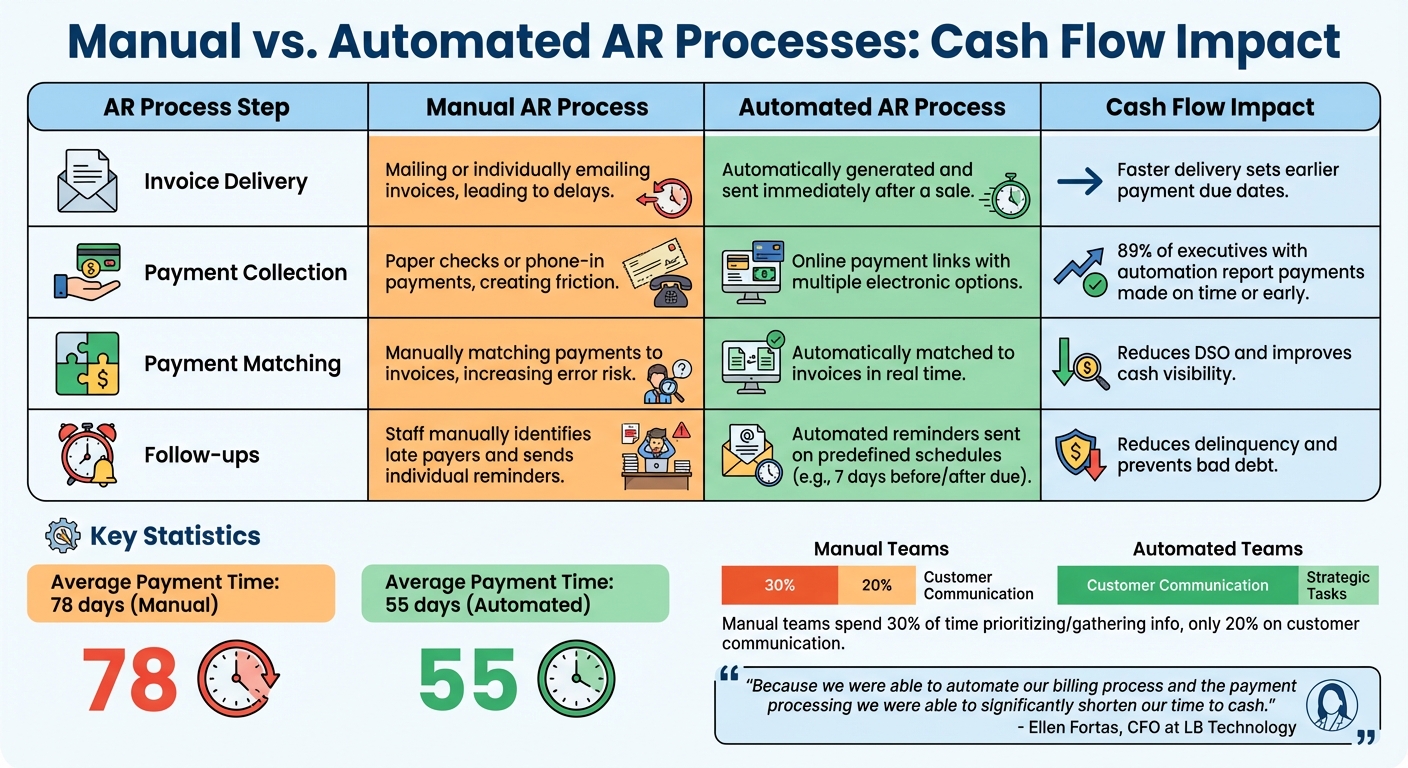
Manual vs Automated AR Processes: Cash Flow Impact Comparison
Once you’ve implemented AR automation, it’s crucial to track specific metrics over the course of 12 months to gauge how it impacts cash flow. Comparing these metrics to a pre-automation baseline will give you a clear picture of the improvements.
Key Metrics to Track
Days Sales Outstanding (DSO) is one of the most important indicators of how quickly your company collects payments after making a sale. Automation often leads to a significant drop in DSO – typically between 15% and 30%. In fact, 85% of CFOs from companies with advanced AR automation reported noticeable reductions in DSO.
The Collection Effectiveness Index (CEI) measures the percentage of receivables collected during a specific period. It’s also worth keeping an eye on invoice processing time, as automation can shrink this from days to mere minutes, speeding up payment initiation.
Error and dispute rates are another critical area to monitor. High rates can signal inefficiencies in manual processes that slow down collections. Automation minimizes errors and streamlines the resolution process, reducing delays.
The bad debt ratio reflects the percentage of uncollectible accounts. With automation, proactive reminders and better credit risk monitoring can lower bad debt write-offs by as much as 30%.
Your AR aging report is another vital tool, especially the 60-to-90-day category, which often signals potential cash flow issues. Lastly, track staff productivity, such as the number of invoices processed per AR clerk. Automation typically boosts employee productivity in AR departments by 25%.
By comparing these metrics before and after automation, you’ll clearly see how much your AR processes have improved.
Manual vs. Automated AR Processes
Automation transforms AR processes, making cash flow more predictable and reducing collection delays. The difference is striking when you compare manual and automated methods. For example, businesses with high automation levels receive payments in an average of 55 days, compared to 78 days for those relying on manual processes. Manual teams often spend 30% of their time just prioritizing and gathering information for collections, leaving only 20% of their time for direct customer communication.
Efficiency Comparison: Manual vs. Automated AR Processes
| AR Process Step | Manual AR Process | Automated AR Process | Cash Flow Impact |
|---|---|---|---|
| Invoice Delivery | Mailing or individually emailing invoices, leading to delays. | Automatically generated and sent immediately after a sale. | Faster delivery sets earlier payment due dates. |
| Payment Collection | Paper checks or phone-in payments, creating friction. | Online payment links with multiple electronic options. | 89% of executives with automation report payments made on time or early. |
| Payment Matching | Manually matching payments to invoices, increasing error risk. | Automatically matched to invoices in real time. | Reduces DSO and improves cash visibility. |
| Follow-ups | Staff manually identifies late payers and sends individual reminders. | Automated reminders sent on predefined schedules (e.g., 7 days before/after due). | Reduces delinquency and prevents bad debt. |
Ellen Fortas, CFO at LB Technology, highlighted the benefits of automation:
"Because we were able to automate our billing process and the payment processing we were able to significantly shorten our time to cash."
To stay on top of these metrics, use real-time dashboards instead of waiting for month-end reports. This approach ensures you can address issues and optimize processes as they arise.
Conclusion
Automating accounts receivable processes goes beyond simply cutting down on paperwork – it’s a smart move that bolsters cash flow and strengthens financial stability. By speeding up the credit-to-cash cycle, businesses can significantly improve payment timelines and free up working capital.
The impact is clear: 91% of businesses have reported better cash flow, increased savings, and measurable growth after adopting AR automation. Additionally, 85% of CFOs at highly automated companies have seen a reduction in DSO. Automation can also slash manual workloads by as much as 50%, allowing finance teams to focus on strategic priorities instead of constantly chasing payments. These benefits pave the way for even greater operational improvements.
Reducing errors is another critical advantage. Manual data entry mistakes account for 27% of invoice delays, creating billing disputes that slow collections and strain customer relationships. Automation not only minimizes these errors but also replaces outdated month-end reports with real-time dashboards, offering instant insights into aging receivables and enabling more proactive cash flow management.
Scalability is another key benefit. As your business grows, automated systems can handle a higher volume of transactions without requiring a larger workforce. This operational efficiency, paired with enhanced customer experiences – like self-service portals and flexible payment options – supports sustainable growth.
Whether you’re a small business or a larger organization aiming to improve working capital, AR automation delivers clear, measurable results that grow over time. By transitioning from reactive to strategic finance operations, your business can focus on seizing new opportunities instead of constantly catching up on collections. Through improved efficiency and a sharper strategic focus, AR automation equips your business to scale effortlessly.
For more insights on how AR automation can strengthen your cash flow and financial stability, visit CreditInsurance.com.
FAQs
How does automating accounts receivable help reduce Days Sales Outstanding (DSO)?
Automating accounts receivable (AR) processes can significantly cut down Days Sales Outstanding (DSO) by simplifying essential tasks that speed up payments. With automation, invoices can be created and sent instantly, payment reminders are issued on time, and customers gain access to convenient online payment options.
By eliminating delays tied to manual tasks and improving accuracy, these systems ensure quicker collections. This not only shortens the credit-to-cash cycle but also boosts cash flow, giving your business a healthier financial position.
How can a business move from manual to automated accounts receivable processes?
Transitioning to automated accounts receivable (AR) processes can simplify your workflow and improve efficiency. Start by evaluating your current system to pinpoint repetitive tasks, bottlenecks, and error-prone areas. This step helps you understand where automation can make the biggest impact. Set clear objectives, such as speeding up payment processing or reducing manual data entry.
The next step is selecting an AR automation platform that works seamlessly with your existing tools, like your ERP or CRM. Look for features that matter most – things like electronic invoicing, automated payment reminders, and online payment options. Adding a self-service portal can also improve the customer experience, giving clients the ability to view invoices, make payments, or resolve disputes without needing to contact your team.
Once the system is in place, ensure your team is properly trained to use it effectively. Keep an eye on metrics like Days Sales Outstanding (DSO) and cash flow to measure the system’s impact. To add an extra layer of security, consider accounts receivable insurance from CreditInsurance.com. It’s a smart way to protect your business from non-payment risks while also supporting better credit decisions.
How does automating accounts receivable improve cash flow and financial insights?
Automating accounts receivable (AR) processes can significantly improve cash flow by cutting down delays and minimizing manual errors. With real-time data capture, invoices, payments, and reconciliations are updated instantly, giving businesses accurate financial information at any moment. This level of precision allows finance teams to predict cash flow for the next 30, 60, or 90 days with confidence, offering better insight into working capital.
AR automation also brings critical metrics like days sales outstanding (DSO), aging buckets, and cash application rates together into user-friendly dashboards. With advanced analytics, businesses can spot payment trends and detect irregularities, enabling quicker decisions on collections, credit policies, or financing. By simplifying workflows and reducing errors, AR automation not only enhances financial planning but also ensures more reliable cash flow. For U.S. businesses aiming to mitigate non-payment risks while reaping these benefits, CreditInsurance.com provides expert tools and solutions to help secure and optimize cash flow.
